Most startups don’t run out of ideas. They run out of time and money building things nobody asked for. A founder spends months on a polished app with a dozen features, launches it, and finds out the core assumption was wrong. MVP development for startups exists to prevent that.
The short version: a minimum viable product is the smallest working version of your product that real users can try, built to test whether your idea solves a real problem. You build it around one core job, launch it to a small group, measure what people actually do, and decide what to build next from evidence.
This guide is for founders and product leads planning a first build. It covers what an MVP is and isn’t, the main types, a step-by-step process from validation to iteration, what to measure, and the mistakes that waste the most budget.
What an MVP is (and what it is not)
Eric Ries, author of The Lean Startup, defines the minimum viable product as “that version of a new product which allows a team to collect the maximum amount of validated learning about customers with the least effort.” The important word is learning. The first version exists to answer a question about your customers as cheaply as possible.
That rules out three common misreadings. An MVP is not the first slice of a big roadmap: shipping 10 of 40 planned features gives you a smaller product, but it doesn’t test anything specific. It is also not a throwaway demo. “Viable” means a real person gets enough value to change their behavior, and that behavior is your data.
And an MVP is not a prototype. A clickable Figma prototype tests whether people understand the flow. An MVP tests whether they want the outcome badly enough to use it, return to it, or pay for it.
Types of MVP
Not every MVP needs code. The right type depends on what you need to learn and how much of the experience you can run by hand at first.
| Type | How it works | Best for | Trade-off |
|---|---|---|---|
| Landing page (smoke test) | A page describes the product and asks visitors to join a waitlist or pre-order, with traffic from a small ad budget | Testing demand and messaging before building anything | Measures interest, not usage |
| Concierge | You deliver the service manually to a few customers, who know a person is doing the work | Learning the workflow before automating it | Doesn’t scale and can hide how hard automation will be |
| Wizard of Oz | Users see what looks like a working product while people do the work behind the scenes | Testing whether users value an automated experience, such as matching | Costly in staff time. Be honest in your terms about how it works. |
| Single-feature | Real software that does one job well and nothing else | Products where the core value is the software itself | Needs real engineering, so scope discipline matters |
| No-code | Built with tools such as Bubble, Airtable or Zapier instead of custom code | Internal tools and low-traffic workflows | Limits on logic, performance and data ownership. Often rebuilt later. |
In the same post, Ries notes that a simple AdWords smoke test would have exposed a bad concept before his team built it. Many startups chain these types: a landing page to test demand, a concierge phase to learn the workflow, then a single-feature build once they know what to automate.
How to build an MVP, step by step
1. Validate the problem first
Before any design or code, confirm that the problem is real, painful and frequent for a specific group. CB Insights’ 2026 analysis of 431 venture-backed startups that shut down since 2023 found poor product-market fit behind 43% of the failures it could explain. Building well doesn’t help if the need isn’t strong enough.
Interview 10 to 15 people in your target group about how they handle the problem today. Ask about past behavior: “Tell me about the last time you had to do this” works better than “Would you use an app that does this?” Look for workarounds such as spreadsheets or manual processes. A workaround shows that someone cares enough to spend effort on the problem.
2. Define the one core job
Write one sentence: “[User] uses [product] to [do one job] so they can [get an outcome].” For example: “Independent physiotherapists use the app to send exercise plans after a session so patients actually do them at home.” Everything in the MVP should serve that sentence. If a feature doesn’t help the user complete that job, it waits.
Set a success target here too, such as “40% of patients open their plan twice in the first week,” and write it down before launch so nobody moves the goalposts.
3. Prioritize features with MoSCoW
List every feature anyone has suggested, then sort each into four MoSCoW buckets:
- Must have: the product can’t do its core job without it.
- Should have: important, but the MVP still works without it.
- Could have: nice to include if time allows.
- Won’t have (this time): explicitly out of scope for this release.
In the physiotherapy example, the Must haves are creating a plan, sending it to a patient, and the patient viewing it on their phone. Video uploads are a Should. In-app messaging is a Could. Billing, insurance integrations and a clinic dashboard are Won’t haves for now.
Be strict with the Must column. For each item, ask: if we removed this, could a user still complete the core job once? If yes, it isn’t a Must. Leave slack in the budget too, so there’s room to fix what users report in the first week.
4. Map user flows and wireframes
Sketch the shortest path from first visit to the core job done: sign up, set up, first use, return. Every extra screen is a place where users drop off. Turn the flow into wireframes (simple layouts without visual styling) and test them with a few of your interviewees.
A UI/UX design pass here costs far less than changing screens after they’re built. Our UI/UX design process post shows how wireframes become tested prototypes.
5. Choose a stack that can grow
The MVP is small, but if it works, it becomes your product’s foundation. Pick mainstream, well-documented technology with a large hiring pool over whatever is newest. For a web product, that might be a React or Next.js front end, a Node.js or Python backend, and PostgreSQL or MongoDB. If your users live on their phones, a cross-platform framework such as React Native or Flutter lets mobile app development cover iOS and Android from one codebase.
Useful questions to ask:
- Can you hire developers for this stack in two years?
- Does the database fit your data? Orders, accounts and permissions usually suit a relational one.
- Can you deploy with automated tests and a CI/CD pipeline (automatic build, test and release) from day one?
- Do you need to own the code and data now, or is a hosted platform fine for the test?
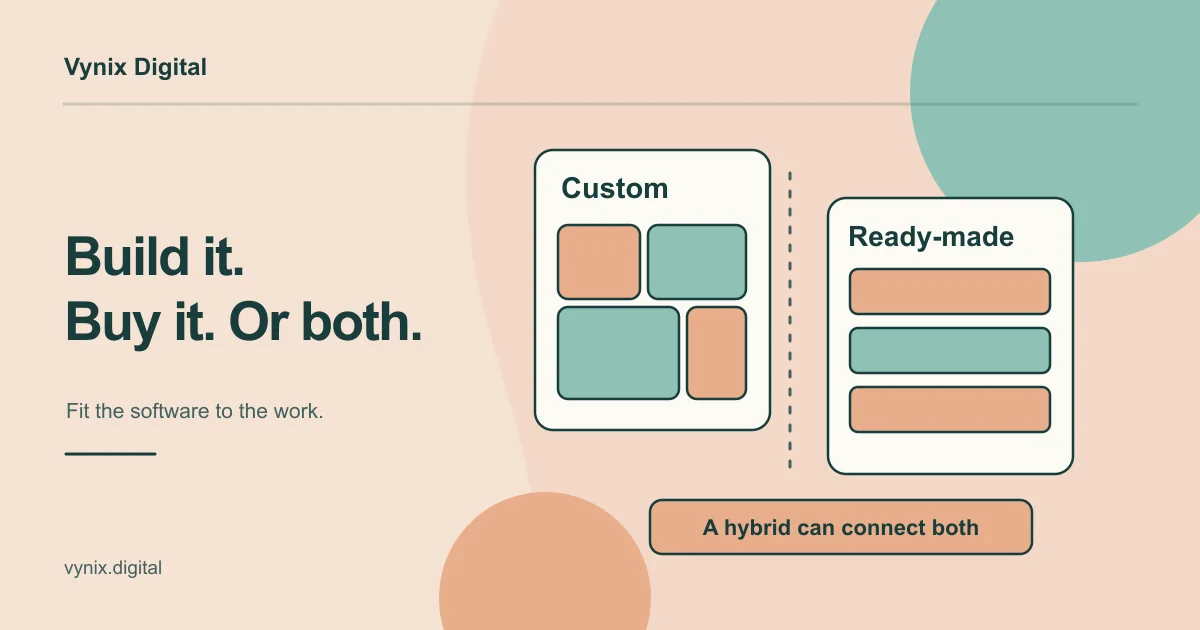
That last question is the one behind custom software vs off-the-shelf tools. If you’re planning a subscription product, read what SaaS development involves before you lock in your architecture.
6. Build in short cycles
Work in one- or two-week cycles, each ending with something you can click through. Deploy to a staging environment early so the founder and a few friendly users try real builds, not screenshots. Add analytics events as you build each feature.
Keep the code clean even though the scope is small. Modular code, sensible database schemas and automated deployments add little time at MVP scale, and they decide whether version two is an extension or a rewrite. Small scope on solid foundations is what good custom software development for startups should give you.
7. Launch to a small audience
Don’t launch to everyone at once. Start with a defined group: the people you interviewed, one segment of your waitlist, or one customer type in one region. A small group lets you talk to every user, fix problems quickly and watch behavior closely. Onboard them personally and tell them what you changed because of their feedback.
8. Measure what users do
Track the core job from the first day and review the numbers every week. The next section covers which metrics matter.
9. Iterate, pivot or stop
After a few weeks of data, compare results with the target from step 2. If users complete the core job and come back, keep going: improve the experience and pull items from the Should column. If they sign up but don’t return, the problem may be real but the solution isn’t landing, so revisit the flow or the job itself.
If almost nobody engages even after you fix onboarding, the problem may not be painful enough. That’s a hard result, and far cheaper than learning it after a full build.
What to measure after launch
Vanity metrics like total sign-ups and page views feel good but rarely change a decision. Focus on numbers tied to the core job.
| Metric | What it tells you | Example |
|---|---|---|
| Activation rate | Share of new users who complete the core job once | Physios who send a first plan within 48 hours |
| Retention | Whether the value lasts beyond curiosity | Week-one users still active in week four |
| Core action frequency | Whether the product is part of a routine | Plans sent per physio per week |
| Willingness to pay | Whether the value is worth money | Pre-orders or paid pilot sign-ups |
| Qualitative feedback | Why the numbers look the way they do | Short calls with users who left and who stayed |
Set up product analytics before launch with a tool like PostHog, Mixpanel or Google Analytics 4, and track actions such as “plan created” and “plan viewed,” not only page loads. Pair the numbers with conversations: a drop-off at one step tells you where the problem is, and talking to three people who dropped off tells you why.
Common mistakes in startup MVP development
Building too much
Scope creep usually comes from fear: “users won’t take us seriously without X.” Every extra feature delays the moment you learn something real and makes results harder to read. If ten features ship and retention is poor, you can’t tell which one let users down.
Skipping discovery
Jumping straight to code because the idea feels obvious means the team builds on its own assumptions, and design decisions get made in code, where they cost the most to change. Interviews, a written core job and a wireframed flow cost far less than a rebuild.
Launching without analytics
If you can’t see what users do, you’re left with opinions, usually from the loudest user. Treat analytics events as part of each feature’s definition of done.
Throwaway code that can’t scale
“It’s just an MVP” can become an excuse for hard-coded logic, no tests and a database designed in an afternoon. If the MVP works, you’re stuck choosing between a rewrite and a shaky base just as customers arrive. The opposite mistake is microservices and multi-region infrastructure for 50 users. Aim for simple architecture with clean boundaries.
Testing with the wrong people
Friends and family are polite, so their enthusiasm says little about whether strangers will pay for your product. Recruit early users from the group you interviewed in step 1.
Conclusion
Good MVP development for startups comes down to discipline. Validate the problem, define one core job, build only what that job needs on a stack that can grow, launch to a small group, and let real behavior decide what comes next.
If you’re planning an MVP, Vynix’s custom software development work starts with a discovery and architecture stage, where we define the stack, plan the database schemas and wireframe the user journey before development begins. Tell us about your idea and we’ll talk through the smallest version worth building.