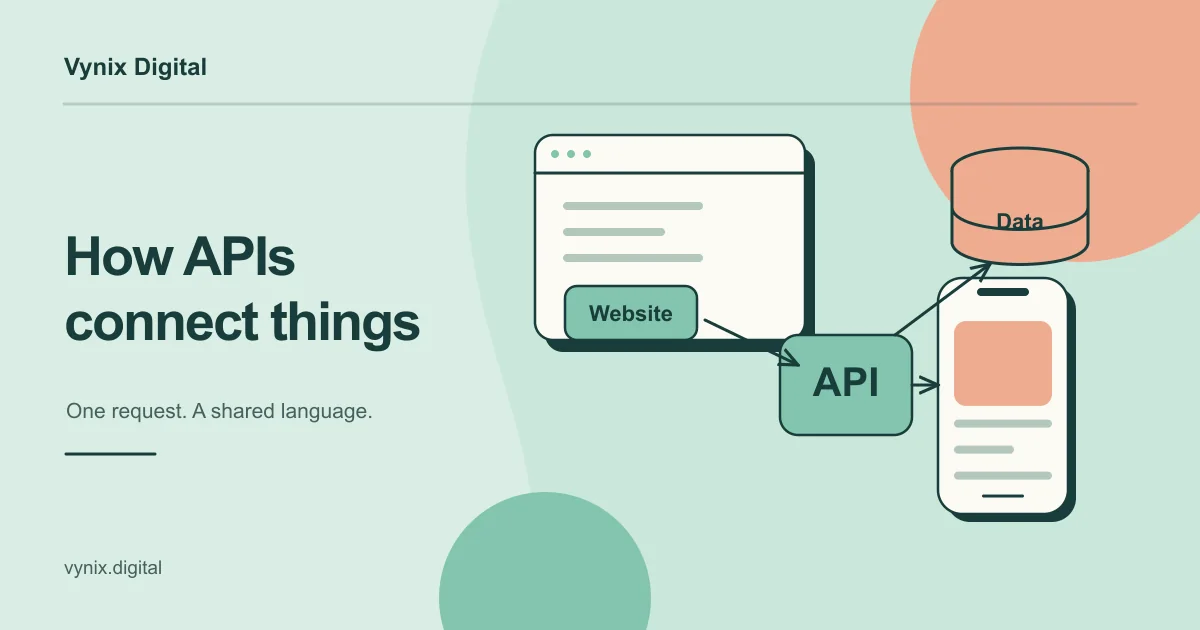
If your business runs on software, you rely on APIs every day, even if you never see one. Your payment form talks to a payment provider, your CRM pulls in leads from your website, and your mobile app fetches orders from a server. All of that happens through APIs.
An API (application programming interface) is a set of rules that lets one piece of software request data or actions from another. API development is the work of designing, building, securing and maintaining those connections so they keep working as your product grows.
This guide is for founders and operations leads who make decisions about API work without writing code. You will learn what an API is in everyday terms, how REST and GraphQL differ, what good API work includes, where third-party integrations go wrong, and which questions to ask a developer before you sign anything.
What an API is, in plain terms
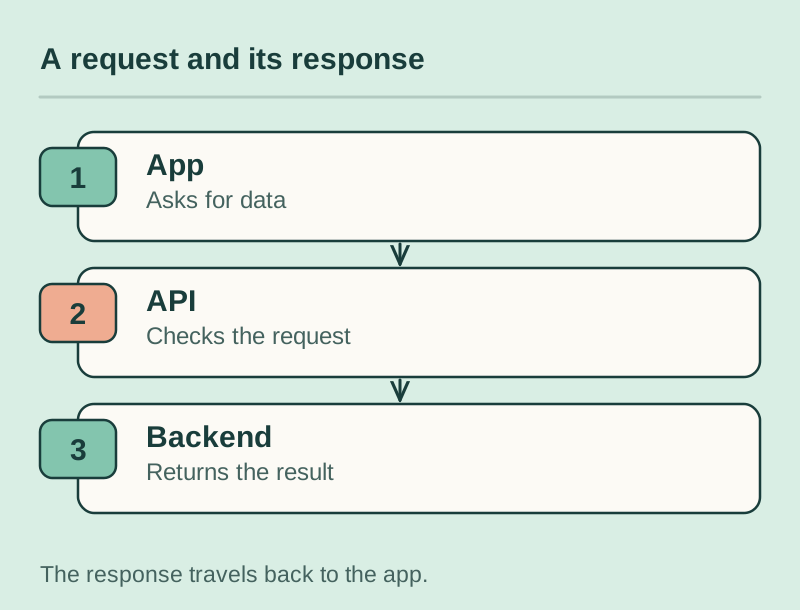
The classic analogy is a restaurant. You (the app) don’t walk into the kitchen (the database, or another company’s system). You give your order to a waiter (the API), who knows what the kitchen can make, passes your request along in a format the kitchen understands, and brings back your food. Order something that is not on the menu and the waiter says no.
Two things follow from this. First, an API controls access, because it decides who can ask for what. Second, an API is a promise. Once other software depends on it, changing it carelessly breaks things for everyone downstream.
A concrete example
Picture a customer buying a subscription on your site. In a few seconds, your checkout sends card details to a payment provider’s API, the provider notifies your backend that the payment succeeded, your own API creates the account in your database, and a call to an email service sends the welcome message. That is four API calls across three companies, and the customer only sees a spinner and a thank-you page.
REST vs GraphQL: the two styles you will hear about
Most modern APIs follow one of two styles. REST organizes an API around resources, each with its own address, such as /customers or /orders/123. Apps use standard HTTP actions against those addresses: GET to read, POST to create, and so on.
GraphQL usually exposes a single endpoint and lets the app describe exactly which fields it wants in one query. The official GraphQL documentation frames it around a strong type system and the ability to request exactly the data you need.
| REST | GraphQL | |
|---|---|---|
| How data is requested | A separate address per resource | One query listing the fields you want |
| Best fit | Public and partner APIs, straightforward apps | Products with several apps or screens that need different data |
| Learning curve | Low, widely known | Higher for the team building it |
| Caching | Simple with standard HTTP caching | Needs extra tooling |
| Over-fetching | Common (you often get the whole record) | Rare (you ask for specific fields) |
| Hiring pool | Very large | Smaller |
For most small and mid-sized products, REST is the sensible default. Consider GraphQL when a web app and a mobile app (or several partner apps) each need different data from the same backend, and your developers already know it well.
What good API development includes
A working endpoint is the easy part. The difference between a dependable API and one that causes weekly fire drills is everything around it. Whoever builds yours, these are the parts of API development to look for in a proposal.
Design first
Good teams agree on the API contract before writing code: which resources exist, what each request and response looks like, and what each error means. This is often written in a standard format such as OpenAPI, so front-end and back-end developers can work in parallel. The contract should come from your business requirements, which is why a clear software requirements document saves time here.
Authentication and authorization
Authentication answers “who are you?” and authorization answers “what are you allowed to do?”. Expect API keys or tokens for server-to-server traffic, a standard login flow (often OAuth) for users, and a check on every request that a user can only touch their own data. A classic and costly bug is an authorization gap: change an ID in a URL and you can suddenly see another customer’s invoice.
Rate limits
Rate limiting caps how many requests a client can make in a given time window, which protects you from abuse and runaway scripts. When a client goes over the limit, the standard response is HTTP status 429 Too Many Requests, which can include a header telling the client how long to wait before trying again.
Versioning
Your API will change. Versioning (for example, /v1/ and /v2/ in the address) lets you add or change behavior without breaking apps that depend on the old version. This matters most for mobile apps, because users do not all update at once, so old versions of your app keep calling your API.
Documentation
Documentation is how your future hires and partners learn to use the API. At minimum it should list every endpoint, show sample requests and responses, explain errors, and describe how to authenticate. Docs generated from the API contract stay accurate longer than a hand-written wiki.
Testing
Automated tests should confirm that each endpoint returns the right data, rejects bad input, and refuses unauthorized requests. They should run on every change, ideally in a CI/CD pipeline, so problems are caught before customers see them.
Monitoring
Once the API is live, someone needs to watch error rates and response times. Alerts tell you that a payment webhook started failing at 2 a.m. before your customers tell you at 9.
Integrating third-party APIs
API integration means connecting your software to someone else’s API: payments, CRM, maps, SMS, shipping, accounting. It is often the fastest way to add a capability, but you are building on a foundation you do not control. A sound integration usually follows these steps:
- Read the docs and limits before committing. Check pricing per call, rate limits, and whether the features you need are on your plan.
- Build in a sandbox first. Most established providers offer test keys and test data.
- Wrap the integration. Put a thin layer of your own code between your app and the provider, so switching providers later changes one module instead of fifty files.
- Plan for failure. Handle timeouts, retries, duplicate webhook deliveries, and what the user sees when the provider is down.
- Watch for deprecations. Providers retire old versions of their APIs. Someone on your side should own the inbox where those notices arrive.
If you are weighing whether to connect existing tools or build your own system, see custom software vs off-the-shelf. For lighter needs, workflow automation for small businesses may be enough.
Common mistakes
- Designing endpoints around screens instead of data. If every new page needs a new endpoint, the API turns into a tangle. Model the business (customers, orders, invoices) instead.
- Treating security as a later phase. Adding authorization checks across dozens of finished endpoints is slow and easy to get wrong.
- No versioning plan. The first breaking change then forces every app and partner to update on the same day.
- Calling third-party services directly from everywhere. Switching payment or email providers then becomes a rewrite.
- Ignoring errors. An integration that fails silently loses orders or leads without anyone noticing.
- Not owning your accounts. API keys, hosting and provider accounts should be in your company’s name, not a freelancer’s.
Questions to ask a developer
You don’t need to read code to judge an API proposal. Ask these questions and listen for specific answers rather than reassurance:
- Will you write the API contract before building, and can I review it?
- How will users and partner systems authenticate, and how do you make sure one customer can never see another’s data?
- What rate limits will you set, and what happens when a client hits them?
- How will you version the API when it changes?
- What documentation will I receive, and how does it stay in sync with the code?
- What is tested automatically, and do the tests run on every change?
- How will we know if something breaks in production?
- For each third-party service, what happens when it is slow or down?
- Who owns the code, the repository, and the hosting and provider accounts?
For a broader checklist on vetting a team, see how to choose a web development company. Many of these questions are best settled in a short software discovery phase before any build begins.
Getting your API right from the start
You don’t need to write code to get API development right. You need a clear picture of your data, an honest list of the third-party services you depend on, and a developer who can answer the questions above in plain language.
If you are planning a backend, a SaaS platform, an internal tool or a mobile app that needs a reliable API behind it, Vynix designs and builds APIs as part of its custom software development work, starting with a discovery and architecture stage that defines the stack and data model. Tell us about your project and we can talk through what your API needs to do.