You changed the headline on your pricing page, and signups went up the next week. Was it the headline, a holiday, a competitor’s outage, or plain luck? Without a controlled test you can’t tell, and decisions built on guesses tend to get expensive later.
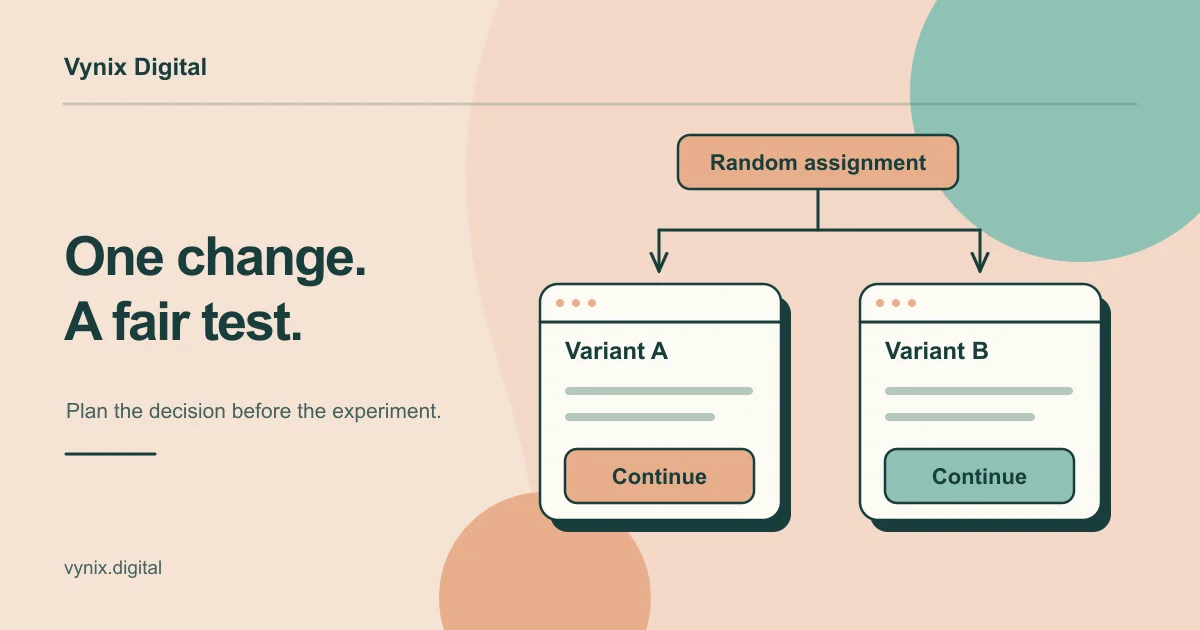
A/B testing (also called split testing) answers that question. You show two versions of a page to randomly split groups of visitors at the same time, measure one outcome, and only call a winner once you have enough data to rule out chance. This guide is for founders and marketing leads who want to run tests properly. You’ll learn when you have enough traffic to test, how to write a hypothesis, how sample size and duration work, when to stop, how to read results, and what to do if your traffic is too thin to test at all.
When is your site ready for A/B testing?
Testing needs volume, and what counts is conversions more than visitors. A page with 50,000 visits a month and 20 leads won’t give you a usable test on lead volume, because any difference between versions gets buried in random noise.
A quick check: put your conversion rate and the smallest lift you care about into a sample size calculator (covered below) and compare the answer with your monthly traffic to that page. As a practical rule, if the test would need more than six to eight weeks, use the low-traffic approaches at the end of this guide instead.
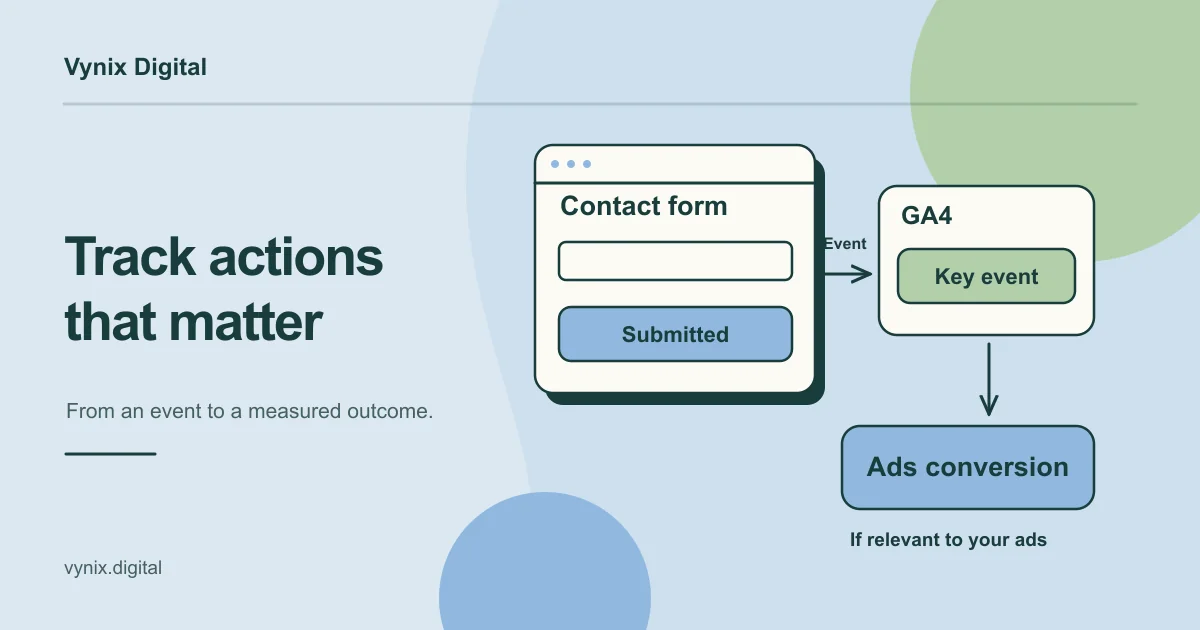
Also make sure tracking works first. If conversions aren’t recorded reliably, every result is suspect. Our guide to setting up GA4 conversion tracking covers that groundwork, and it’s usually the first step in any conversion rate optimization program.
Step 1: Write a clear hypothesis
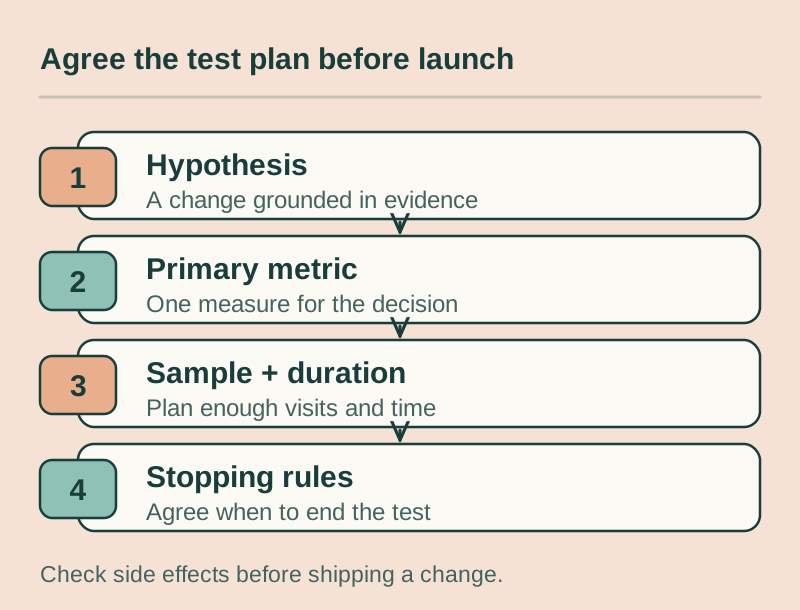
A hypothesis keeps a test honest. It names the change, the expected effect and the reason behind it. A simple template:
“Because we saw [evidence], we believe changing [element] for [audience] will increase [metric].”
For example: “Because session recordings show most mobile visitors never scroll past the hero section, we believe moving the quote form above the fold on mobile will increase quote requests.”
The evidence part matters. Tests rooted in real observations (analytics, support tickets, interviews, heatmaps) are easier to learn from, because even a loss tells you whether your read on the problem was right. If you need ideas worth testing, our landing page best practices guide covers the elements that most often hold pages back.
Step 2: Choose one primary metric
Pick one metric to decide the winner before the test starts. Usually it’s the conversion closest to revenue that still has enough volume: purchases, demo requests or trial signups.
Secondary metrics, such as average order value, don’t get a vote. They’re there to catch side effects, like a variant that increases form submissions but fills your pipeline with junk leads. Judging the winner on several metrics just gives random noise more chances to hand you a fake winner.
Step 3: Work out sample size and test duration
Sample size in plain terms
Sample size is how many visitors each version needs before the result is trustworthy. It depends on three inputs:
- Baseline conversion rate: your current rate. Lower rates need more visitors.
- Minimum detectable effect: the smallest improvement worth detecting. Small effects need far more traffic to spot than large ones.
- Confidence settings: the common convention is 95% statistical significance and 80% power.
Statistical significance tells you how unlikely your result would be if the change actually did nothing. At 95%, you accept about a 5% chance of declaring a winner that isn’t real. Power is the chance your test catches a real improvement of the size you chose.
You don’t need to do the math by hand: Evan Miller’s free sample size calculator does it. With its default settings, a page converting at about 10% needs roughly 2,500 visitors per version to reliably detect a lift to about 13%. Ask it to detect a smaller lift and the number rises steeply.
Test duration
To estimate duration, multiply the visitors needed per version by the number of versions, then divide by the daily traffic to that page. Needing 2,500 visitors per version, with two versions and 500 visitors a day, works out to 10 days.
Then round up to full weeks. People behave differently on a Monday morning than on a Saturday night, so run at least one full week, ideally two, even if you hit your sample sooner.
Step 4: Set up and run the test
- Build the variant and check it on desktop and mobile. A broken variant loses for reasons that teach you nothing.
- Split traffic randomly, usually 50/50, and make sure returning visitors keep seeing the same version.
- Confirm the split is actually even. If you planned 50/50 and see 55/45 after a few days, the setup has a fault (this is called a sample ratio mismatch). Fix it before you trust any numbers.
- Write down the hypothesis, primary metric, required sample and planned end date before launch.
- Leave everything alone while it runs: no page edits and no changes to the split.
On tools: Google Optimize, the free option many small teams used, was shut down on September 30, 2023. Teams now use dedicated platforms such as VWO or Optimizely, their landing page builder’s testing feature, or tests built into the site itself. On a custom React or Next.js site, developers can run tests on the server, which avoids the brief flash of the original page some browser-based tools cause.
Step 5: Set your stopping rules in advance
Decide before launch that the test ends when it reaches the planned sample size and has run full weeks. It does not end the moment the dashboard shows a winner.
Stopping early is where most tests go wrong. In a worked example by Evan Miller, a change that did nothing was checked repeatedly and stopped as soon as it looked significant. The false positive rate jumped from the expected 5% to 26.1%. Looking at the numbers is fine. Acting on what you see mid-test is the problem.
If you need the option to stop early, set up sequential testing (a method designed for checking results along the way) before launch. Otherwise, the only valid reason to stop early is a broken variant or a collapse in conversions.
How to read the results
Start with the primary metric. Did the variant beat the original at your chosen confidence level? Then look at the confidence interval, the range where the true effect probably sits. A result like “+12%, range -2% to +26%” means the real effect could be close to zero.
| Result | What it means | What to do |
|---|---|---|
| Variant wins | Likely a real improvement | Ship it, log the result, plan the next test |
| Variant loses | Your change hurt the metric | Keep the original and note why you think it lost |
| No significant difference | Any effect is smaller than you could detect | Keep the simpler version, test a bolder change |
Check secondary metrics for damage before shipping. Be careful with segments: slice results by device, country and traffic source after the fact and you’ll always find a “winner” somewhere, so treat those as ideas for the next test. And expect the real-world lift to come in a little lower than the test showed.
Common mistakes
Peeking and stopping early
The most common mistake of all. Fix the sample size first and wait for it.
Testing too many variants
Every extra version splits your traffic further and adds another chance of a false winner. Four versions instead of two gives each one half the traffic, so the test takes at least twice as long.
Ignoring seasonal effects
Black Friday shoppers, end-of-quarter B2B buyers and visitors from a big email blast don’t behave like your usual audience. Test during a typical period, and watch for the novelty effect: returning visitors sometimes click a new design simply because it’s new, and that bump fades.
Testing changes too small to matter
A new button shade on a low-traffic page rarely produces a detectable effect. Spend limited traffic on the offer, headline, form or page structure.
What to do when your traffic is too low
Low traffic means using different methods, not giving up on conversions.
- Test bigger changes. A bold rework of the offer or layout can produce an effect large enough to detect with fewer visitors.
- Measure an earlier step. Clicks on “Get a quote” happen more often than finished quotes. It’s a proxy, so treat it with care. Our marketing funnel guide helps you pick the right step.
- Use qualitative research. A few usability sessions, session recordings or customer interviews often reveal the problem directly. Our UI/UX design work starts from this kind of research.
- Test at the template level. One change applied across all product pages pools their traffic into a single test.
- Fix obvious problems without testing. A broken mobile form doesn’t need an experiment. Our guide on why a website isn’t generating leads lists the usual culprits.
Start testing with a plan
A good A/B test is mostly preparation: working tracking, an evidence-based hypothesis, one metric, a sample size set in advance and the patience to let it run.
If you’d like help building a testing program, from tracking and hypotheses to designing and building variants, our digital marketing team works on conversion rate optimization and landing pages. Tell us about your site and what you want to improve, and we’ll talk through where testing makes sense for you.