If you’re planning to hire a Webflow developer, you’re probably in one of two spots. Either you’re about to build a new marketing site and Webflow keeps coming up as the sensible choice, or you already have a Webflow site that nobody on your team can confidently change, and every small update turns into a support request.
This guide is for startup founders and marketing teams in either situation. It covers when Webflow fits, what a Webflow developer actually does, how freelancers, agencies, and in-house hires compare, what to ask on a first call, and what a proper handover should include.
When Webflow is a good fit
Webflow is a visual website builder with a CMS and hosting built in. It produces clean HTML and CSS, and it lets a skilled developer build almost any layout without fighting a theme.
Marketing sites that change often
If your homepage, product pages, and landing pages get reworked every quarter as your positioning shifts, Webflow handles that well. A developer can build a set of reusable sections and components, and your team can assemble new pages from them without starting from scratch each time.
Content-heavy sites your marketers run
Blogs, resource libraries, case studies, job listings, and changelogs all fit naturally into Webflow’s CMS. Once the collections are set up, a marketer can publish a new post or case study without touching the design or asking a developer for help.
Design-led brands
When the look and feel matter a lot, Webflow gives designers and developers fine control over spacing, typography, and animation. You aren’t limited to what a theme allows, and the final site can match the approved design closely.
When Webflow isn’t the right tool
Webflow is a strong choice for marketing sites, but it isn’t the answer to everything. Think twice if:
- You need complex web application features. User dashboards, heavy logic, custom databases, or anything that behaves like software usually belongs in a proper application framework. Webflow can host the marketing site that sits in front of it.
- You run a large or complex store. Webflow Ecommerce works for smaller catalogs and simple product setups. If you have a big catalog, complicated variants, wholesale pricing, or deep inventory integrations, a dedicated ecommerce platform is usually a better fit.
- You need a plugin ecosystem. If your site depends on dozens of specialized plugins for bookings, memberships, forums, or learning management, a platform like WordPress may give you more ready-made options.
- Your CMS needs are very large. Webflow plans have limits on CMS items and collections. Check the current plan limits against your expected content volume before you commit.
A good Webflow developer will tell you honestly if one of these applies to you.
What a Webflow developer actually does
“Building the site in Webflow” sounds simple, but the work has several distinct parts. Knowing them helps you judge proposals and spot gaps.
Turning design into a build
Most projects start from a design in Figma or a similar tool. The developer translates that design into a working Webflow site, page by page and component by component. A careful developer will flag anything in the design that will be awkward to build or maintain before they start, rather than quietly changing it later.
A clean class naming system
Webflow styles everything through classes. Without a system, a site ends up with hundreds of one-off classes like “Div Block 47” and “heading copy 3”, and nobody can safely edit anything. Good developers use a structured naming convention. Client-First by Finsweet is a widely used one, and some developers use their own documented system. What matters is that it is consistent, written down, and easy for the next person to follow.
CMS collection structure
This is where many Webflow sites go wrong. The developer needs to decide which content lives in CMS collections, what fields each collection has, and how collections reference each other (for example, linking blog posts to authors and categories). A well-planned structure makes publishing easy. A poor one forces your team to work around it for years.
Interactions and animation
Webflow has a built-in Interactions system for scroll effects, hover states, page load animations, and more. A good developer uses these to support the design without slowing the site down or making it hard to use. Animations should feel smooth on a mid-range phone, not only on a powerful laptop.
Responsive breakpoints
Webflow lets developers adjust layouts at different screen widths, from large desktop screens down to small phones. Text that looks fine on a laptop can overflow on a phone, and navigation menus need a proper mobile version. Ask to see past work on mobile, not only on desktop.
Ecommerce
For smaller stores, Webflow Ecommerce handles products, carts, and checkout inside the same platform as the rest of the site. The developer sets up product templates, checkout styling, and order emails, and connects the payment settings you choose.
Integrations and custom code
Most sites need to connect to other tools: a CRM, an email platform, analytics, a booking tool, or a chat widget. Webflow supports custom code at the page and site level, plus embed elements for smaller snippets. A good developer adds these cleanly, documents where each one lives, and avoids loading scripts you don’t need.
SEO settings
Webflow gives control over page titles, meta descriptions, URL slugs, alt text, Open Graph images, redirects, and the sitemap. The developer should set these up properly, including dynamic SEO fields for CMS templates so every blog post gets its own title and description automatically. For a migration, they should also build a full redirect map from old URLs to new ones.
Hosting and launch setup
Webflow sites are hosted on Webflow, so launch involves choosing the right site plan, connecting your domain, confirming SSL is active, and publishing. A good developer also checks forms, analytics, and redirects right after launch, when small problems tend to show up.
Freelancer, agency, or in-house
There’s no single right answer. It depends on the size of the project and how much ongoing work you expect.
A freelance Webflow developer can be a great fit for a focused project with a clear design already in hand. You get direct contact with the person doing the work. The risk is capacity: if they get sick, busy, or move on, your project or support can stall. Ask how they handle backup and availability.
A Webflow agency usually brings design, development, copy support, and QA under one roof, which helps when you need the whole site planned and built from scratch. Agencies also tend to offer ongoing support with more than one person who knows your site. The tradeoff is that you may work through a project manager instead of talking to the developer directly, so ask who your day-to-day contact will be.
An in-house Webflow developer makes sense when you have a steady stream of work: frequent landing pages, constant experiments, and regular new sections. For most early-stage startups, there isn’t enough Webflow work to fill a full-time role, so a freelancer or agency on a support arrangement often works better until that changes.
What a Webflow project looks like, stage by stage
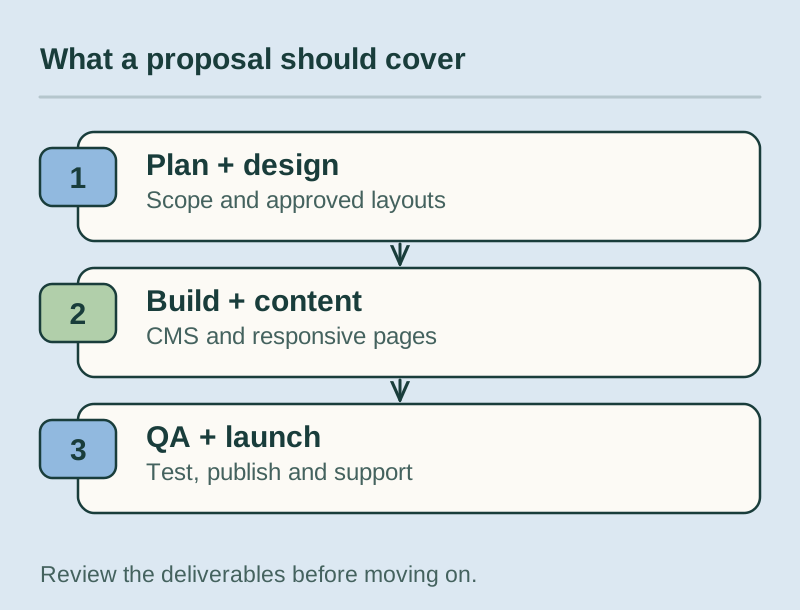
Timelines vary with scope, but most projects move through the same stages. Use this table to check that a proposal covers each one.
| Stage | What happens | What you should get |
|---|---|---|
| Discovery | Goals, audience, sitemap, content inventory, integrations, and technical requirements are agreed | A written scope and sitemap |
| Design | Wireframes, then visual designs for key pages and components, usually in Figma | Approved designs for desktop and mobile |
| Build | The site is built in Webflow with a class system, CMS collections, interactions, and responsive layouts | A staging site you can click through |
| Content | Final copy and images are added, CMS content is entered or imported, SEO fields are filled in | A content-complete staging site |
| QA | Testing across browsers and devices, forms, links, speed, accessibility basics, and redirects | A list of issues found and fixed |
| Launch | Domain connected, site plan set, redirects live, analytics and forms checked | A live site and a launch checklist |
| Support | Fixes, small changes, new pages, and help for your team after launch | An agreed support arrangement |
Questions to ask on the first call
A first call should tell you how someone thinks, not only what they’ve built. These questions tend to surface that quickly:
- Can you show me two or three Webflow sites you built, and walk me through how the CMS is set up on one of them?
- Which class naming system do you use, and will it be documented for us?
- Who will actually build the site, and who will be my main contact?
- How do you decide what goes into the CMS and what stays as static pages?
- What do you need from us before you can start (designs, copy, brand assets, access)?
- If we’re migrating, how do you handle redirects and SEO settings from the old site?
- Who owns the Webflow workspace and site plan during and after the project?
- What does your handover include, and do you train our team?
- What does support look like after launch, and how quickly do you respond to issues?
Pay attention to how specific the answers are. Someone who has thought carefully about CMS structure and handover will talk about them in detail without being prompted.
Red flags
Watch for these during the sales process and the early weeks of a project:
- They want the site in their own account with no plan to transfer it. You should own your workspace, site plan, and domain, or at least have a clear written agreement for transfer.
- Their portfolio only shows desktop screenshots. Ask for live links and check them on your phone.
- They can’t explain their class naming approach. That usually means a messy build that will be hard to maintain.
- Every piece of content is hard-coded. If blog posts or case studies aren’t in the CMS, your team will need a developer for every update.
- No mention of redirects on a migration. Losing old URLs can cost you search traffic you’ve built up over years.
- Vague scope and no stages. A quote that’s a single number with no breakdown makes it hard to know what’s included.
- Promises of guaranteed rankings or traffic. Nobody can honestly guarantee those.
What a good handover looks like
The handover is where you find out whether the site was built for you or only for the developer. A good one includes:
- Editor training. A live session (ideally recorded) showing your team how to edit text and images, publish CMS items, and update SEO fields. Training should use your actual site, not a generic demo.
- A documented class system. A short guide explaining the naming convention, the main components, and how to build a new section without breaking existing styles.
- CMS guidelines. Notes on each collection: what each field is for, recommended image sizes, character limits for titles, and how references between collections work.
- A record of custom code and integrations. Where each script lives, what it does, and which accounts it connects to.
- Clear ownership. Confirmation that the workspace, site plan, domain, and connected tools are in your name or properly transferred.
With these in place, your team handles most updates, and a future developer can get up to speed quickly.
Support after launch
A website is never really finished. After launch you’ll want new landing pages, new sections, fixes when a third-party tool changes, and occasional performance or SEO checks. Some teams handle small edits themselves and bring in a developer for bigger changes. Others prefer a monthly support arrangement so someone who knows the site is always available.
If you’re stuck with a Webflow site you can’t maintain, support often starts with an audit: reviewing the class structure, cleaning up unused styles, reorganizing CMS collections, and documenting what’s there. Sometimes a cleanup is enough. Sometimes rebuilding key templates is faster than patching them, and a good developer will explain the tradeoff before recommending either.
When comparing support options, ask about response times and how requests are tracked.
How Vynix can help
At Vynix, we design, build, and support Webflow sites for startups and marketing teams around the world. That includes new builds from scratch, migrations to Webflow from other platforms, CMS restructuring, fixes on existing sites, and ongoing support after launch. If you need the design side too, our UI/UX design work feeds straight into the build.
You can read more about our Webflow development services, or get in touch to talk through your site. If you already have a Webflow site that’s become hard to manage, we’re happy to take a look and tell you honestly what it needs.