Search results increasingly open with an AI-written summary, and many people now ask ChatGPT, Perplexity or Google’s AI Mode to compare options for them. If your site is not among the sources those answers cite, you can lose the visit before anyone reaches the regular links.
The short answer: there is no guaranteed method, and anyone selling one is guessing. What works is making your site easy to crawl, easy to quote and easy to trust. Allow the right crawlers, put the answer first, mark up pages accurately, make your brand unambiguous and publish things worth citing. Google itself says its AI features run on the same fundamentals as regular Search.
This guide is for founders and marketing leads who want a practical checklist for AI search optimization, also called generative engine optimization (GEO). You will learn what Google recommends, where llms.txt fits and how to measure results.
What Google says about AI features and your website
Google’s Search Central page, AI features and your website, is its official guidance here. There are no additional requirements to appear in AI Overviews or AI Mode. A page needs to be indexed and eligible to show in Search with a snippet, and even then Google does not guarantee it will be shown.
The page also says you do not need new machine readable files, AI text files or special markup. Its advice is familiar: allow crawling, link to important content internally, keep key content in text, offer a good page experience and make sure structured data matches the visible page. Other AI assistants publish less, but all of them have to fetch your page, understand it and decide it is worth quoting. The steps below follow that order.
Step 1: Let the right crawlers in
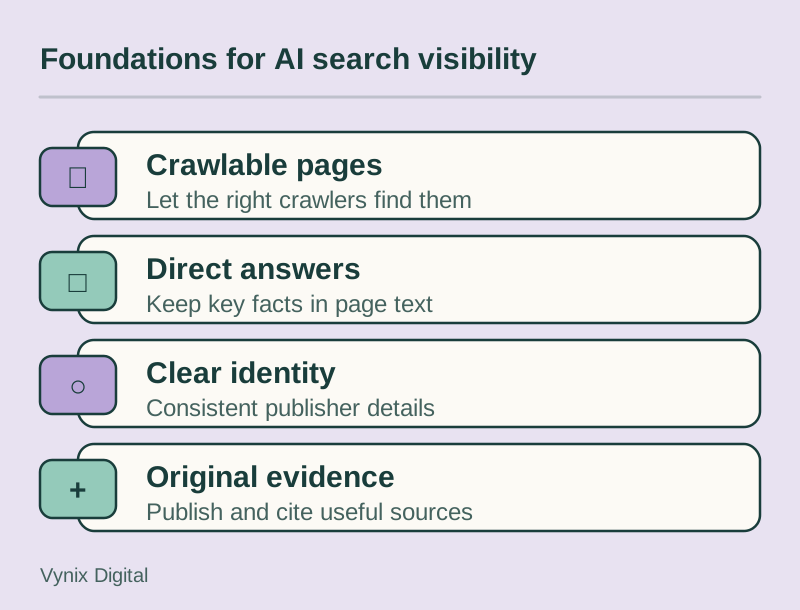
A tool that cannot fetch your page cannot cite it. Google’s guidance specifically mentions checking that crawling is allowed both in robots.txt and by your CDN or hosting setup, because bot protection rules can block crawlers without anyone on the marketing team noticing.
For Google, AI features are part of Search, so Googlebot’s robots.txt rules are what count. A separate token, Google-Extended, limits use of your content for training and grounding in some of Google’s other AI systems, so you can restrict that without leaving Search.
Major AI vendors document their crawler names, and some separate training from search. Before you paste a “block all AI bots” snippet from a forum, decide what you want:
- Cited and fine with training: allow the vendors’ crawlers.
- Cited, no training: allow search crawlers and block training crawlers where the vendor offers that split.
- Not visible at all: block them and accept that you will not be cited.
Then check server logs or CDN analytics to confirm allowed crawlers get normal 200 responses, not 403 errors or challenge pages. Our technical SEO checklist covers crawl checks in more detail, and a crawl access review is a standard part of technical SEO work.
Step 2: Put the answer first
AI systems pull passages that answer a question cleanly. A page that opens with brand story is harder to quote than one that answers in the first two sentences and then explains. Compare two openings for a returns page:
- Weak: “At Acme, customer happiness is at the heart of everything we do.”
- Strong: “You can return any unused item within 30 days for a full refund. Start a return from your order page and we will email a prepaid label.”
The second can be lifted into an answer as written. To get there:
- Open each key page or section with a direct one or two sentence answer, then add detail.
- Use descriptive headings that match how people phrase their questions.
- Keep important facts in HTML text, not in images, PDFs or tabs that load on click.
- State specifics: steps, conditions, limits and numbers.
If your site renders content only in the browser with JavaScript, consider server-side rendering or static generation, since some crawlers do not run JavaScript the way a browser does. That is a decision best made early, as part of web development planning.
Step 3: Use structured data that matches the page
Structured data (schema.org markup, usually JSON-LD) labels what a page is about: an organization, a product, an article. Google does not require it for AI features, but its guidance is clear that markup should match the visible text. Markup describing things the page does not show helps nobody.
Most business sites benefit from Organization markup on the home or About page, Article with author details on blog posts, Product where you sell products, LocalBusiness if you serve a physical area and BreadcrumbList for structure. Our schema markup guide walks through each with examples.
Step 4: Make your brand an unambiguous entity
An entity is something a system can identify distinctly: your company, your founder, your product. A citation is an attribution, so it helps when machines can tell exactly who published a page.
- Use the same company name, address and description on your site, Google Business Profile, LinkedIn and directories. Google’s page also recommends keeping Business Profile and Merchant Center details current.
- Publish an About page that says what you do, where you operate and who runs the company.
- Add author bylines with short bios, linked to author pages.
- Add Organization markup with your logo and links to your official profiles.
- If your brand name is a common word, add context: “Acme, the payroll software company for restaurants” rather than “Acme” alone.
Step 5: Publish things worth citing
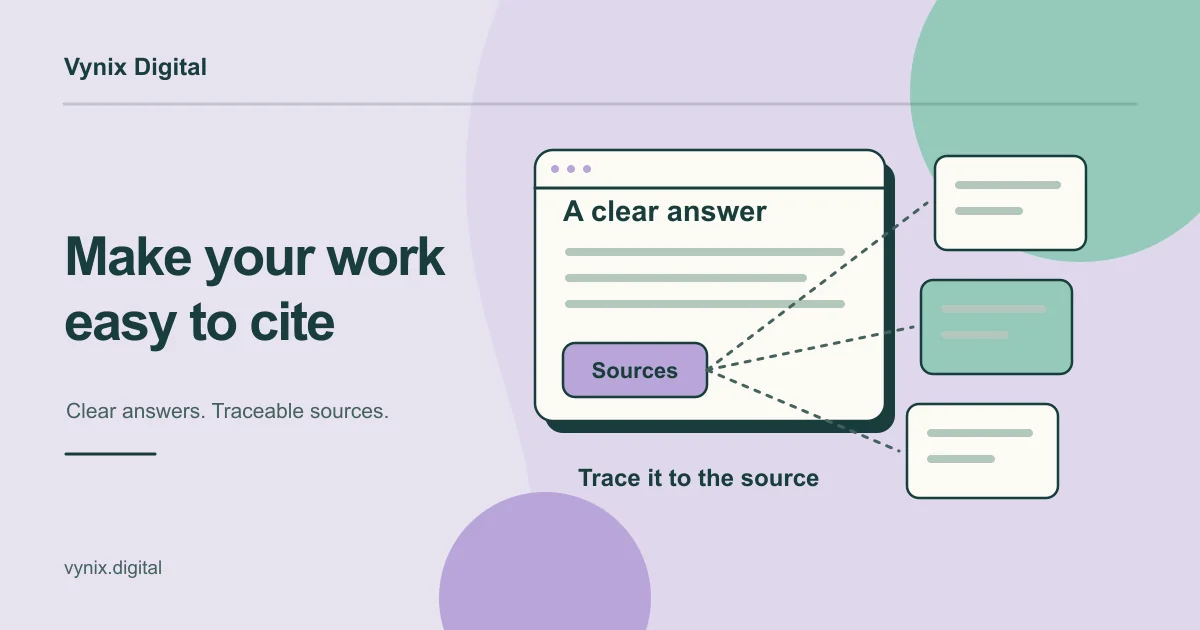
If your page says what fifty others say, there is no particular reason to cite yours. Original material changes that: survey results from your customers, benchmarks from your own tests, pricing data you collected or commentary from a named expert.
Cite your own sources too, since a page that links to primary sources is easier to verify. Show a visible “last updated” date on guides and actually update them.
Where llms.txt fits
llms.txt is a proposal published by Jeremy Howard in September 2024 for a Markdown file that gives language models a short guide to a website: what the site is, plus links to its most useful pages. It usually sits at the site root (yoursite.com/llms.txt), and the only required element is an H1 with the site name.
# Acme Payroll

> Payroll software for restaurant groups in the US.

## Key pages
- [Pricing](https://acme.example/pricing/): plans and what each includes
Be realistic about it. It is an emerging convention, not a standard search engines have committed to, and Google says you do not need AI text files to appear in its AI features. Adding one is a small job with little downside, but nobody can show it reliably changes citations, so do not let it replace Steps 1 to 5.
How the tactics compare
| Tactic | What it helps with | Effort | How sure you can be |
|---|---|---|---|
| Crawl access | AI tools can fetch your pages | Low | High: blocked pages cannot be cited |
| Answer-first content | Passages are easy to quote | Medium | Moderate, and it helps regular SEO |
| Structured data | Machines understand page type and facts | Medium | Moderate, if it matches visible text |
| Entity clarity | Systems know who you are | Low to medium | Moderate |
| Original data | A reason to cite you over others | High | Moderate to high over time |
| llms.txt | A short guide for AI tools | Low | Low, Google says it is not needed |
Measuring traffic from AI search
For Google, traffic from AI Overviews and AI Mode is included in the Search Console Performance report under the “Web” search type, blended with normal search clicks. Watch for pages where impressions rise while clicks stay flat. Google also suggests looking at conversions and time on site, not just clicks.
For other assistants, open Traffic acquisition in GA4 and look at session source. Assistants that link out appear as referrals from their domains, such as chatgpt.com or perplexity.ai, when the browser passes a referrer. A custom channel group for known AI domains lets you trend this monthly. Some visits arrive with no referrer and land in Direct, so treat the number as a floor. Our guide to GA4 conversion tracking shows how to tie those visits to leads.
Finally, check by hand. Keep a list of 10 to 20 questions your buyers ask, run them in the main assistants monthly, and note whether you are cited and who is cited instead. Answers vary between runs, so look for trends rather than single results.
Common mistakes
- Blocking every AI bot by default, or assuming you are open while your CDN serves challenge pages.
- Buying “guaranteed AI ranking” packages. Nobody outside these companies controls what their systems cite.
- Writing for machines and forgetting people. Keyword-stuffed Q&A blocks read badly and quote badly.
- Adding schema the page does not support, such as review markup with no visible reviews.
- Treating llms.txt as the strategy rather than a small extra.
- Measuring only rankings instead of citations, AI referrals and the leads they produce.
Conclusion
AI search optimization is mostly good SEO with a few extra checks. Let crawlers reach you, answer questions plainly, mark up pages honestly, make your brand easy to identify and give AI systems something original to cite. Then measure, because these systems keep changing and your own data is the most reliable feedback you will get.
If you want a second pair of eyes on your crawl settings, structured data and content, our SEO services cover technical SEO, semantic HTML, on-page work and content strategy. Tell us about your site and we can talk through what makes sense for your business.