If you are planning a mobile app, the budget is usually the first question, and the honest answer is a range. Quotes for what sounds like the same idea can differ by tens of thousands of dollars, which makes it hard to tell whether a number is fair.
As a starting point, a GoodFirms survey of 167 app development companies put a simple app at roughly $25,000 to $59,000 and an advanced app at roughly $60,000 to $137,000, at an average agency rate of $65 an hour. Premium rates push those totals higher. This guide is for founders and operations leads who need a realistic budget before talking to vendors. You will learn what drives mobile app development cost, how the budget splits across phases, what you keep paying after launch, and how to spend less without cutting the parts that matter.
Typical mobile app development cost by complexity
GoodFirms asked 167 app development firms how many hours they need to build common sets of features, then priced those hours at two average rates: $65 an hour for budget projects and $100 an hour for high-end ones. The published report is dated 2022. Here is what that produced.
| App complexity | What it usually includes | Survey hours | At $65/hour | At $100/hour |
|---|---|---|---|---|
| Simple | Login, user profiles, dashboard, search, basic messaging, and an admin panel for content, users, and push notifications | 382 to 910 | $24,830 to $59,150 | $38,200 to $91,000 |
| Mid-level (GoodFirms calls it “complex”) | Everything above plus payments, e-commerce, activity feeds, geolocation, camera, media streaming, and admin tools for orders and analytics | 556 to 1,310 | $36,108 to $85,150 | $55,550 to $131,000 |
| Complex (GoodFirms calls it “advanced”) | Everything above plus features like augmented reality, multi-language support, machine learning, or chatbots | 916 to 2,110 | $59,508 to $137,150 | $91,550 to $211,000 |
Source: GoodFirms, How Much Does It Cost to Develop an App? (survey of 167 firms, report dated 2022).
Two caveats matter. First, location changes the math a lot. In the same survey, US firms averaged roughly $100 to $150 an hour, UK firms $55 to $75, and Indian firms $15 to $30. Second, the data is a few years old, so use it to sanity-check quotes rather than as a price list. GoodFirms itself notes that real projects range from several thousand dollars to millions, and regulated products like fintech or health apps often need extra budget for compliance work.
What drives the cost
Every number above is really hours multiplied by a rate. The hours come from the decisions below.
Features and their depth
Each feature needs design, front-end code, backend logic, and testing. The same feature name can also hide very different amounts of work. A login screen with email and password is quick, while login through a company’s single sign-on system, with multi-device sessions and security rules, can take several times longer. When comparing quotes, ask what each feature actually does, not just what it is called.
Platforms: iOS, Android, or both
If you build native apps for iOS and Android separately, you pay for two codebases. GoodFirms puts it plainly: building for more than one platform natively means paying for each one. Many products launch on one platform first when their audience leans heavily one way, then add the second once the idea is proven.
Native versus cross-platform
Native apps are written in each platform’s own language (Swift for iOS, Kotlin for Android). Cross-platform frameworks such as React Native and Flutter let one team write a single codebase that runs on both. Native still makes sense for graphics-heavy apps, advanced AR, or deep hardware access. For most business apps (booking, ordering, account management, internal tools), cross-platform covers the need at a lower cost.
Backend and admin panel
The app on the phone is only the front end. Behind it sits a backend that stores data, handles accounts, runs business rules, and talks to other systems, plus an admin panel your staff use to manage content, users, and orders. In the GoodFirms breakdown, infrastructure (database, storage, API integrations, security, and scalability) was the largest single slice of a simple app’s budget at 26.1%. If your app needs a custom backend or API, that work overlaps with custom software development.
Design
A design built from standard platform components costs less than a fully custom visual identity with bespoke animations. GoodFirms’ respondents reported median ranges of 36 to 80 hours for UX (research, user flows, wireframes) and 40 to 100 hours for UI (visual design and prototypes). The number of screens and how much testing with real users you do are the main variables. Our guide to the UI/UX design process explains what each step produces.
Integrations
Payments, maps, CRMs, ERPs, SMS, email, and analytics each add setup, edge cases, and testing. An integration with a well-documented API like a major payment provider is predictable. Connecting to an older internal system with patchy documentation is where estimates tend to slip.
Security and compliance
Every app needs encrypted connections, secure authentication, and careful handling of personal data. Apps that touch health records, payments, or children’s data carry extra requirements, legal review, and sometimes third-party audits. If your users are in the EU, plan for GDPR obligations from the start rather than retrofitting them.
QA and testing
Apps run on many screen sizes, OS versions, and network conditions. Survey respondents typically spent 48 to 130 hours on testing, rising to 480 hours for demanding projects. The report flags social, gaming, finance, and education apps as needing extra testing time.
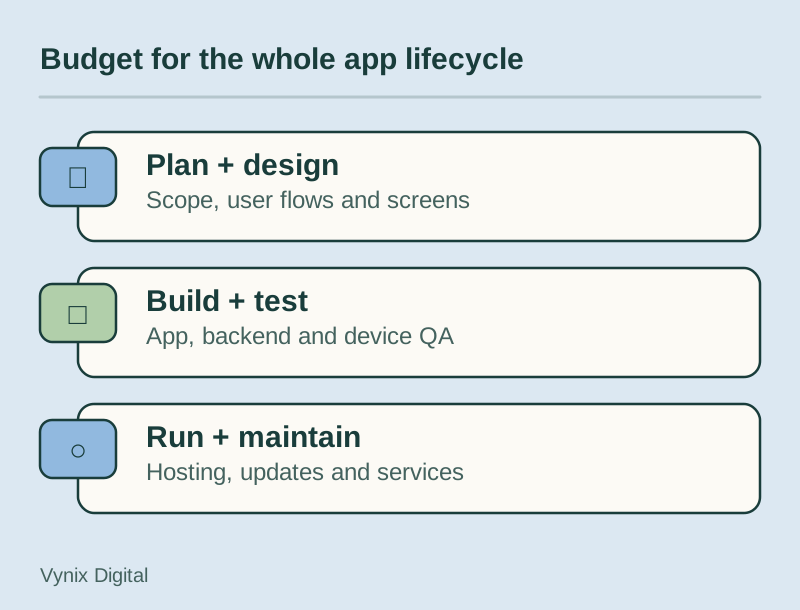
App development cost breakdown by phase
Here is how a budget typically splits across the life of a project. The percentages come from GoodFirms’ stage-by-stage chart, which is based on the low end of each cost range, and the hours are the survey’s median ranges.
| Phase | What happens | Typical effort | Share of budget (simple app) | Share of budget (mid-level app) |
|---|---|---|---|---|
| Discovery and planning | Research, requirements, scope, feature list, tech stack | 30 to 80 hours | 7.8% | 5.4% |
| Design | UX research, wireframes, visual design, clickable prototype | 76 to 180 hours | 19.9% | 13.7% |
| Development | User features, admin panel, backend and infrastructure | Varies most with scope | 57.5% | 70.8% |
| QA and testing | Functional, performance, security, and device testing | 48 to 130 hours | 12.5% | 8.6% |
| Launch | Store listings, compliance checks, submission and review | 8 to 20 hours | 2.0% | 1.4% |
Development dominates, and its share grows as the app gets more complex. Discovery and design look small by comparison, but they decide how many hours development will take. Planning exists to avoid expensive scope changes later, so cutting a week of discovery to save a few percent can easily cost more once the build starts.
Ongoing costs after launch
Spending does not stop when the app goes live. These are the costs you keep paying.
Maintenance and updates
The firms GoodFirms surveyed charged an average of 25% of the development cost per year for maintenance. If your build costs $80,000, plan for about $20,000 a year. That typically covers bug fixes, updates for new iOS and Android releases, performance work, emergency fixes, and keeping third-party integrations working. New features are extra.
Hosting and backend services
Servers, databases, file storage, push notifications, and email or SMS delivery all carry monthly bills. Most cloud providers have free or cheap starter tiers, and costs rise with users and data. Ask your developer for a rough monthly hosting estimate at 1,000, 10,000, and 100,000 users so there are no surprises.
App store fees
The Apple Developer Program costs 99 USD per membership year, and eligible nonprofits, accredited educational institutions, and government entities can request a fee waiver. Google Play charges a one-time US$25 registration fee. Both stores also take a commission on paid apps and in-app sales of digital goods, so factor that into pricing if you plan to charge users.
Third-party subscriptions
Maps, analytics, crash reporting, customer support chat, and payment processing often charge per user, per request, or per transaction. Each one is small on its own, but together they can add up to a meaningful monthly line item.
How cross-platform frameworks reduce cost
React Native and Flutter let one team build iOS and Android from a single codebase. The savings come from building each feature once, running one team instead of two, sharing business logic, and shipping updates to both stores together. The GoodFirms report also notes that hybrid and cross-platform apps are cheaper to develop than separate native apps, since only one app has to be built.
The savings shrink when an app relies heavily on platform-specific features, custom native modules, or complex graphics. You will also still test on both platforms and manage two store listings. Our React Native vs Flutter comparison covers how to choose between the two. A single shared codebase is also the approach behind our mobile app development service, with the framework picked during discovery.
Ways to control your budget
You have more control over the final number than most quotes suggest. These steps make the biggest difference.
- Start with an MVP. Build the smallest version that tests your core idea with real users, then expand based on what you learn. Our guide to MVP development for startups walks through scoping one.
- Rank every feature. Sort features into launch, next release, and later. Be strict: if the app works without it, it can wait.
- Use one codebase unless you have a specific reason to go native.
- Buy commodity features. Authentication, payments, push notifications, and analytics are available as managed services. Building them from scratch rarely pays off for a first version.
- Design with a component system. A consistent set of reusable components speeds up both design and development. Save custom animations for later releases.
- Write acceptance criteria. For each feature, write down what “done” means. Vague scope is the most common cause of change requests.
- Ask for itemized estimates. A single total hides assumptions. A breakdown by feature and phase lets you cut scope intelligently and compare vendors fairly.
- Budget for year one, not launch day. Add the build cost, roughly 25% for maintenance, hosting, third-party services, and store fees.
Here is a realistic example. A fitness studio wants an app for class bookings. Version one includes sign-up, a class schedule, booking and payment, push reminders, and an admin panel to manage classes. In-app video workouts, a social feed, and wearable integrations wait for version two. That scope keeps the project close to the simple tier instead of the mid-level one, and a single cross-platform codebase covers both iOS and Android.
Hidden costs to plan for
These items rarely appear on a first quote but show up in most real projects:
- Admin tools beyond the basics, such as reporting, refunds, or role-based access for staff.
- Content and data migration from an existing website, spreadsheet, or legacy system.
- Usage-based API fees that grow with your user base.
- Store review rework when Apple or Google asks for changes before approval.
- Legal documents such as a privacy policy and terms of use, plus privacy disclosures in each store.
- Annual OS updates that require testing and sometimes code changes.
- Your own team’s time for decisions, feedback, content, and user testing.
- Marketing after launch, including store listing optimization and paid acquisition.
Common mistakes
Budgeting only for the build. Maintenance, hosting, and services continue every month. A plan that spends everything on version one leaves no room to fix what users report.
Building two native apps before proving demand. Unless your app needs deep hardware access, a single cross-platform codebase lets you test the market for less.
Choosing on hourly rate alone. GoodFirms notes that price does not guarantee quality in either direction. A lower rate with more hours, rework, or missed requirements often ends up costing more.
Skipping discovery. Without a clear scope, every estimate is a guess, and guesses turn into change orders.
Forgetting the backend. A quote that covers only the screens is not a full quote. Ask who builds and hosts the backend, the APIs, and the admin panel.
Adding features mid-build without re-estimating. Small additions compound. Route every new request through a simple change process that shows its cost and timeline impact before anyone starts on it.
Conclusion
Mobile app development cost comes down to hours multiplied by a rate, and you control the hours through scope, platform choice, and how well the project is planned. Use the survey ranges as a sanity check, budget for at least a year of running costs, and ask every vendor for an itemized estimate you can compare.
If you want help scoping an app and getting a clear estimate, take a look at our mobile app development services for iOS and Android from one codebase, then tell us about your project and we will talk through the features, the stack, and the trade-offs with you.