Ask three developers to price the same website and you can get three quotes that sit thousands of dollars apart. That makes budgeting hard, and it makes it easy to either overpay or hire a team that cannot deliver what you need. This guide is for founders and marketing or operations leads who want a realistic number before they start talking to agencies.
The short answer: a simple business website typically costs $1,000 to $15,000, a larger custom marketing site $15,000 to $50,000, an online store $5,000 to $50,000, and a custom web application $10,000 to $100,000, according to a 2024 GoodFirms survey of web development companies. Below you will find what pushes a project toward either end of those ranges, which costs continue after launch, how pricing models and team location change the math, and how to keep your budget under control.
Typical business website development cost by site type
Directories that survey or review agencies are the most useful public benchmarks. The table below uses figures from GoodFirms’ 2024 survey of more than 100 web development companies, as reported by Digital Information World. Treat them as typical market ranges, not quotes.
| Site type | What it usually includes | Typical market range (GoodFirms, 2024) |
|---|---|---|
| Brochure site | A handful of pages (home, about, services, contact), template or light custom design, a contact form | $1,000 to $15,000 |
| Content-heavy marketing site | Custom design, 15 or more pages, a blog or resource hub, landing pages | $15,000 to $30,000, rising to $30,000 to $50,000 for complex builds with advanced design and security work |
| E-commerce site | Product catalog, cart, checkout, payments, shipping and tax rules | $5,000 to $50,000 |
| Custom web app | User accounts, dashboards, business logic, databases, APIs | $10,000 to $100,000, with simple apps at $10,000 to $25,000 |
Clutch’s web design pricing guide, updated in September 2026, paints a similar picture from verified client reviews. It says agencies typically charge $2,000 to $100,000, that most projects reviewed on the platform cost less than $10,000, and that the average reviewed project came to about $38,100 over roughly seven months. The gap between “most projects” and “the average” suggests a smaller number of large builds pull the average up, so a typical small business site sits well below it.
Those ranges are wide on purpose. The rest of this guide explains which decisions move you within them.
What drives the cost
Every quote is an estimate of hours multiplied by a rate. These are the factors that change the hours.
Scope and number of templates
The number of unique page layouts matters more than the raw page count. A 40-page site built from four templates (home, service page, blog post, contact) can cost less than a 12-page site where every page has its own design. Features add up too: site search, filtering, multiple languages, gated content and member areas each need design, build and testing time.
Design
A customized template is the cheapest route to a professional look. Fully custom design means research, wireframes, high-fidelity prototypes and often a small design system, so the site stays consistent as it grows. That extra work pays off when brand perception and conversion rates matter, for example when the site is your main sales channel. If you need this level of UI/UX design, budget for it as a distinct phase rather than squeezing it into the build.
CMS and platform
Your content management system (CMS, the tool your team uses to edit pages) shapes both the build cost and the running cost. Hosted builders and popular CMS platforms are quick to set up but can bring monthly fees and plugin costs. A headless or Jamstack setup, where a front end built with a framework such as Next.js pulls content from a separate CMS, takes more setup time but tends to be faster and easier to scale. The right answer depends on who edits the site, how often, and how much traffic you expect. A good web development partner should explain that trade-off for your situation, not just default to the tool they always use.
Integrations
Connecting the site to a CRM, email marketing platform, booking system, inventory or ERP is often where budgets drift. Each integration needs data mapping, error handling and testing, and some third-party APIs are poorly documented. Ready-made connectors are cheap; custom integrations and anything that moves into user accounts or business logic start to look like custom software development. If you are unsure which side of that line you are on, this comparison of custom software vs off-the-shelf tools can help.
Content
Copywriting, photography, video, product data and migration from an old site are frequently left out of development quotes. A site with 200 products or 300 old blog posts to move can need days of work that nobody priced. Ask every bidder to state who writes, sources and loads the content.
SEO foundations
Technical SEO basics such as semantic HTML, clean URLs, metadata, XML sitemaps and structured data cost little to build in and a lot to retrofit. If you are replacing an existing site, redirect mapping from old URLs to new ones protects the search traffic you already have. Ongoing content and link building are separate budgets.
Accessibility
The Web Content Accessibility Guidelines (WCAG) from the W3C are the international standard for making sites usable by people with disabilities, and WCAG 2.2 is the current version. Designing for them from day one (color contrast, keyboard navigation, form labels, alt text) adds modest time. Fixing an inaccessible site after launch usually costs more.
Performance
Google’s Core Web Vitals measure real-user loading speed, responsiveness and visual stability, with “good” thresholds of 2.5 seconds for Largest Contentful Paint, 200 milliseconds for Interaction to Next Paint and 0.1 for Cumulative Layout Shift. A design heavy on video, animation and third-party scripts needs engineering time (image optimization, code splitting, careful script loading) to hit those numbers.
One-off vs ongoing costs
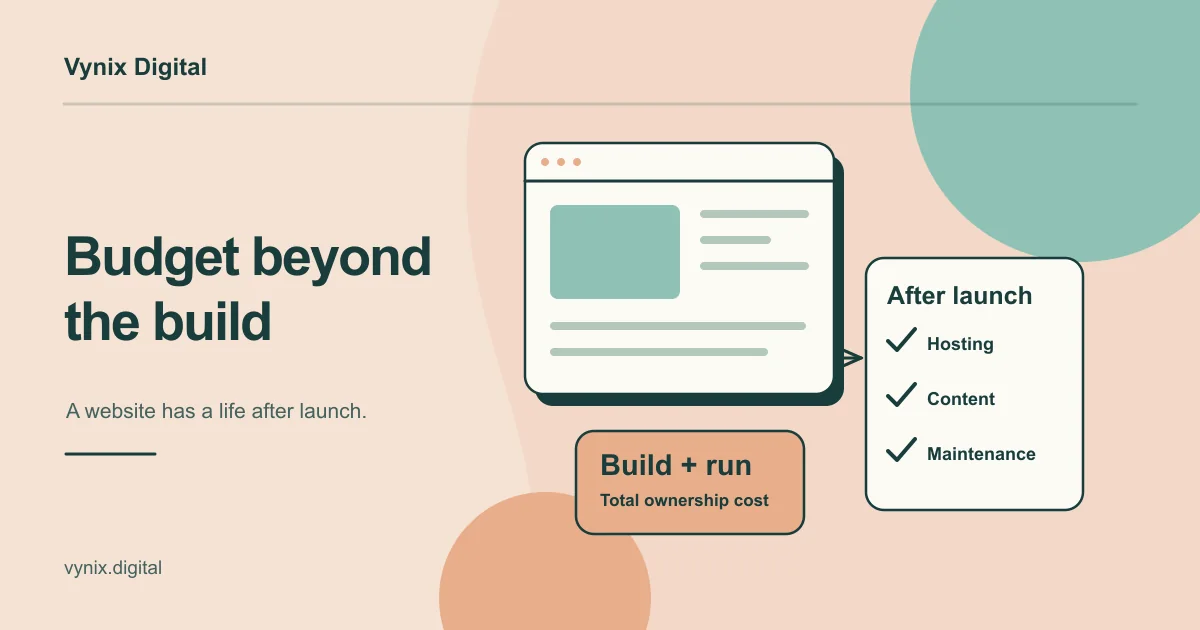
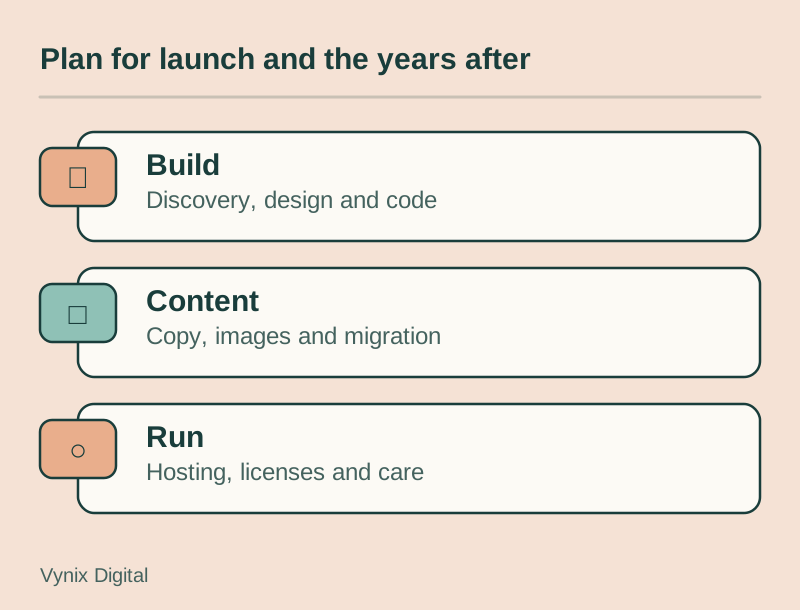
The build is only part of the cost to build a business website and run it. Budget for year one and for every year after. Figures marked GoodFirms come from the same 2024 survey cited above.
| Cost | One-off or ongoing | Typical range | Notes |
|---|---|---|---|
| Discovery, design and build | One-off | See the site-type table above | Usually the largest single cost |
| Content (copy, photos, video) | Mostly one-off, some ongoing | Varies widely | Often excluded from development quotes |
| Domain name | Yearly | $10 to $60 a year (GoodFirms) | Register it in your company’s name |
| Hosting | Monthly or yearly | Under $50 a year on shared plans to over $600 a year on premium plans (GoodFirms) | Traffic, uptime needs and stack decide the tier |
| SSL certificate | Yearly | Often free with hosting | Paid certificates exist but many sites do not need one |
| Maintenance and updates | Yearly | $250 to $1,000 (small business), $1,000 to $5,000 (e-commerce), $2,000 to $20,000+ (custom web app) (GoodFirms) | Updates, bug fixes, small changes |
| Security monitoring and backups | Monthly or yearly | Varies by provider | Sometimes bundled into maintenance plans |
| Software licenses | Monthly or yearly | Varies | Premium themes, plugins, fonts, e-commerce platform plans |
| Third-party services | Monthly or per use | Varies | Payment processing fees, email, CRM, analytics, chat tools |
Website maintenance cost is the line most buyers underestimate. Software that is not updated becomes a security risk, and small content and design changes add up over a year.
Pricing models and how they change risk
Agencies price websites in a few common ways. None is cheaper by default; each shifts risk between you and the team.
| Model | Works best when | Watch out for |
|---|---|---|
| Fixed price | Scope is clear and stable, such as a brochure site | A padded price to cover unknowns, and change requests billed as extras |
| Time and materials (hourly) | Requirements will evolve, such as a web app | Costs can creep without regular reporting on hours used |
| Milestone or phased | Larger builds you want to release in stages | Make sure each milestone has clear acceptance criteria |
| Monthly retainer | Ongoing improvements after launch | Unused hours that do not roll over |
For most business sites, a fixed price for a well-defined first phase followed by a retainer or hourly arrangement for later improvements keeps both sides honest.
How team location affects rates
Hourly rates vary a lot by country. Clutch’s 2026 guide puts the typical agency rate at $100 to $149 an hour and lists these typical ranges by location:
- United States, Canada and Australia: $100 to $149 an hour
- United Kingdom: $50 to $99 an hour
- Ukraine, Poland, Spain and Mexico: $25 to $49 an hour
- India and the Philippines: under $25 an hour
Rate is only half of the equation. A more experienced team at a higher rate may finish in fewer hours, and a cheap team that misses requirements can cost more in rework. When you compare teams in different countries, weigh time zone overlap for meetings, the clarity of written communication, who owns the code and accounts, and how the team handles testing and handover. Quality varies within every region, so judge the portfolio and the process, not the flag. This guide on how to choose a web development company covers the questions to ask.
How to keep your website development cost under control
You have more influence over the final number than most quotes suggest. These steps make the biggest difference.
- Write a one or two page brief. Cover goals, target audiences, must-have pages and features, integrations, sites you like and a budget range. A clear brief gets you comparable quotes.
- Split must-haves from nice-to-haves. Anything that does not support the first business goal can wait for a later phase.
- Phase the project. Launch the core pages and lead capture first, then add a resource hub, a customer portal or e-commerce once you have real usage data.
- Treat web apps as an MVP. For anything with user accounts and business logic, build the smallest version that proves the idea. This walkthrough of MVP development for startups explains how to scope one.
- Use proven tools where you do not need to stand out. Standard checkout flows, form tools and CMS features are cheaper than custom ones and usually work better.
- Prepare content early. Late copy and missing images are one of the most common reasons projects run over time and budget.
- Agree on a change process before work starts, and hold back a contingency (10 to 15 percent is a sensible starting point) for the things nobody could foresee.
Hidden costs to ask about before you sign
These items rarely appear on the first quote, so ask about each one directly:
- Migrating content from an old site and mapping redirects
- Stock photography, icon sets and font licenses
- Extra design revision rounds beyond what is included
- Payment gateway and transaction fees for online stores
- Cookie consent and privacy tools if you serve visitors in the EU or UK
- Training your team to use the CMS
- The length of the post-launch support window and what happens after it ends
- Renewal prices for plugins, themes and hosting, which can be higher than first-year deals
Common mistakes
Comparing quotes that do not cover the same scope
A $6,000 quote and a $20,000 quote often describe different projects. One may include custom design, content loading and SEO setup while the other assumes you supply everything. Line up the deliverables before you compare the totals.
Budgeting for launch and nothing after
A site that launches and then sits untouched slowly breaks, falls behind on security updates and stops converting. Plan the first year of running costs at the same time as the build.
Choosing on price alone
The lowest quote is sometimes realistic, but it is often missing items you will pay for later. Ask what is excluded, how testing works and who owns the code, domain and hosting accounts.
Over-building version one
Custom features that nobody uses are expensive to build and expensive to maintain. Start with what your visitors need to take the next step, then add features based on evidence.
Leaving content to the end
Design built around placeholder text often has to change once real copy arrives. Start writing while the design phase is underway.
Getting an accurate number for your project
Market ranges help you set expectations, but the only reliable figure comes from a scoped estimate based on your goals, features and integrations. Spend an hour on a clear brief, decide what can wait for phase two, and ask every bidder to itemize design, development, content and running costs separately. You will get quotes you can compare and fewer surprises once the work starts.
If you want help scoping a site, Vynix Digital’s web development service covers business websites and web apps built with React, Next.js and Jamstack, starting with a discovery phase where the stack and timeline are agreed. Share your goals and must-have features through our contact page and we can talk through what your project needs.